Building Smarter Advertising Systems with Multi-Agent Architecture: A Step-by-Step Guide
Overview
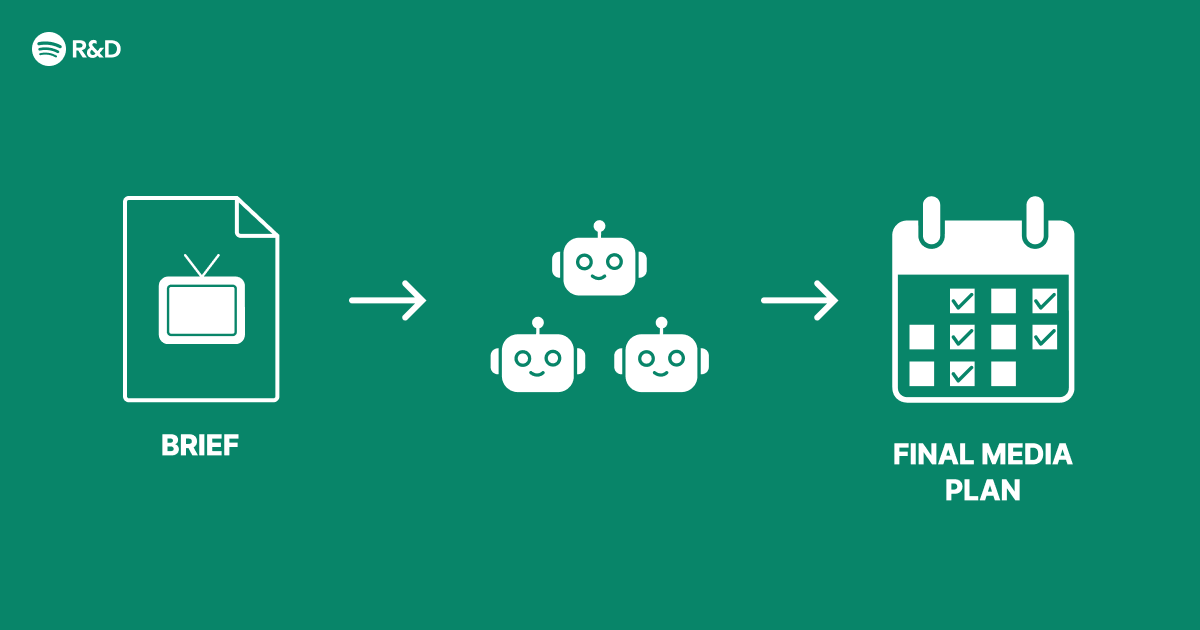
Modern advertising faces immense complexity: fragmented audiences, real-time bidding, creative personalization, and dynamic budgets. A single monolithic AI model struggles to handle all these tasks efficiently. Multi-agent architectures decompose the problem into specialized agents—each responsible for a distinct function—that collaborate to optimize advertising performance. Originally inspired by Spotify Engineering's approach, this guide walks you through designing and implementing a multi-agent system for smarter advertising. By the end, you'll understand the core principles, have a working prototype, and know common pitfalls to avoid.
Prerequisites
- Basic knowledge of Python (3.8+)
- Familiarity with APIs (e.g., OpenAI, advertising platforms)
- Understanding of advertising concepts (CTR, CPA, bidding strategies)
- Installed packages:
openai,langchain,fastapi,pydantic - An LLM API key (e.g., OpenAI) for agent reasoning
Step-by-Step Instructions
1. Define Agent Roles
Identify the key tasks in an advertising pipeline. Typical agents include:
- Planner Agent: Allocates budget across campaigns and timeframes.
- Creative Agent: Generates ad copy, images, or videos using LLMs.
- Targeting Agent: Selects audience segments based on behavior and demographics.
- Bidder Agent: Places real-time bids on ad exchanges.
- Evaluator Agent: Monitors performance and provides feedback.
Each agent should have a clear objective and input/output schema. Use Pydantic models to enforce structure.
2. Set Up the Agent Base Class
from pydantic import BaseModel
from typing import Dict, Any

class AgentInput(BaseModel):
    context: Dict[str, Any]
    goal: str

class AgentOutput(BaseModel):
    recommendation: str
    confidence: float

class BaseAgent:
    def __init__(self, name: str, llm):
        self.name = name
        self.llm = llm

    def process(self, input: AgentInput) -> AgentOutput:
        raise NotImplementedError
3. Implement the Planner Agent
This agent decides how to distribute a total budget across campaigns. It uses historical performance and current goals.
class PlannerAgent(BaseAgent):
    def process(self, input: AgentInput):
        prompt = f"You are an advertising planner. Budget: {input.context['total_budget']}. Campaigns: {input.context['campaigns']}. Goal: {input.goal}. Allocate budget."
        response = self.llm.invoke(prompt)
        return AgentOutput(recommendation=response, confidence=0.85)
4. Implement the Creative Agent
Generates ad text for a given audience. Optionally integrates with DALL·E for images.
class CreativeAgent(BaseAgent):
    def process(self, input: AgentInput):
        audience = input.context['audience']
        prompt = f"Write a short ad for {audience}. Tone: persuasive, under 50 words."
        response = self.llm.invoke(prompt)
        return AgentOutput(recommendation=response, confidence=0.9)
5. Orchestration with a Coordinator
Create a central orchestrator that runs agents in a sequence or parallel, passing context between steps. Use a message bus (e.g., Redis) or simple function calls.
from typing import List

class AdvertisingCoordinator:
    def __init__(self, agents: List[BaseAgent]):
        self.agents = agents

    def run_cycle(self, context: dict) -> dict:
        results = {}
        for agent in self.agents:
            inp = AgentInput(context=context, goal=agent.name)
            out = agent.process(inp)
            results[agent.name] = out.recommendation
            context[agent.name + '_output'] = out.recommendation
        return results
6. Add Feedback Loop (Evaluator Agent)
After bids are placed, collect performance metrics (CTR, CPA) and feed them back to adjust future plans.

class EvaluatorAgent(BaseAgent):
    def process(self, input: AgentInput):
        perf = input.context['performance']
        prompt = f"Given this performance: {perf}, what should be changed in budget or targeting?"
        response = self.llm.invoke(prompt)
        return AgentOutput(recommendation=response, confidence=0.8)
7. Deploy as a Microservice
Wrap the coordinator in a FastAPI endpoint that receives campaign parameters and returns recommendations.
from fastapi import FastAPI
from pydantic import BaseModel

app = FastAPI()

class AdRequest(BaseModel):
    total_budget: float
    campaigns: List[str]
    audience: str

@app.post("/optimize")
async def optimize(req: AdRequest):
    context = {"total_budget": req.total_budget, "campaigns": req.campaigns, "audience": req.audience}
    coordinator = AdvertisingCoordinator([PlannerAgent("planner", llm), CreativeAgent("creative", llm)])
    result = coordinator.run_cycle(context)
    return result
Common Mistakes
Ignoring Agent Communication Overhead
Agents that repeatedly call each other can become slow and expensive. Use a central context store and limit inter-agent messages to essential updates.
No Human Oversight
Automated bidding and creative generation can go awry. Always include a human-in-the-loop or fallback rules for edge cases.
Inconsistent Schemas
Each agent's input/output should strictly adhere to defined models. Mismatched data types cause silent failures.
Overfitting to Historical Data
The planner may rely too heavily on past performance, missing new opportunities. Include exploration (e.g., epsilon-greedy) in the bidding logic.
Summary
Multi-agent architectures enable modular, scalable advertising systems where specialized agents handle planning, creative, targeting, bidding, and evaluation. By following this guide, you've built a working prototype with Python, LLMs, and FastAPI, and learned to avoid common pitfalls like communication overhead and lack of oversight. This approach, inspired by Spotify Engineering, can be extended with reinforcement learning and real-time data streams for production use.
Related Articles
- Revolutionizing Facebook Groups Search: Unlocking Community Knowledge with Hybrid AI
- How to Foster Amiability in Your Online Community: Lessons from the Vienna Circle
- Discover Windows' Hidden Gem: The Enhanced Notepad App from the Microsoft Store (It's Free)
- How to Select the Perfect Lenovo ThinkPad or ThinkStation: A Step-by-Step Guide to the Latest Models
- Affordable Smart Kitchen Gadgets Surge in Popularity, Experts Say No Renovation Needed
- The One Marketing Question That Built a 30-Year Agency Powerhouse
- Navigating Windows 11's Low Latency Profile: A Step-by-Step Guide to Understanding the Controversy
- Why the US Is Falling Behind in the Smartphone Camera Revolution: 10 Key Insights