Samsung One UI 9 Beta: 6 Key Features and Changes for Galaxy S26
Samsung has officially kicked off the One UI 9 beta program for the Galaxy S26 series, marking the next major software update based on Android 17. While One UI 8.5 is still rolling out to many devices, the company is already pushing forward with a fresh set of improvements. The beta is currently available in South Korea, Germany, and the UK, offering users early access to a range of new features. From a more customizable Quick Panel to smarter multitasking and enhanced privacy controls, this update brings meaningful changes. Here are six things you need to know about the One UI 9 beta for your Galaxy S26.
- Beta Launch and Availability
- Customizable Quick Panel
- Samsung DeX Multitasking Enhancements
- New Tape Feature in Samsung Notes
- Unified TalkBack Accessibility Updates
- Blue Indicator for Location Access
1. Beta Launch and Availability
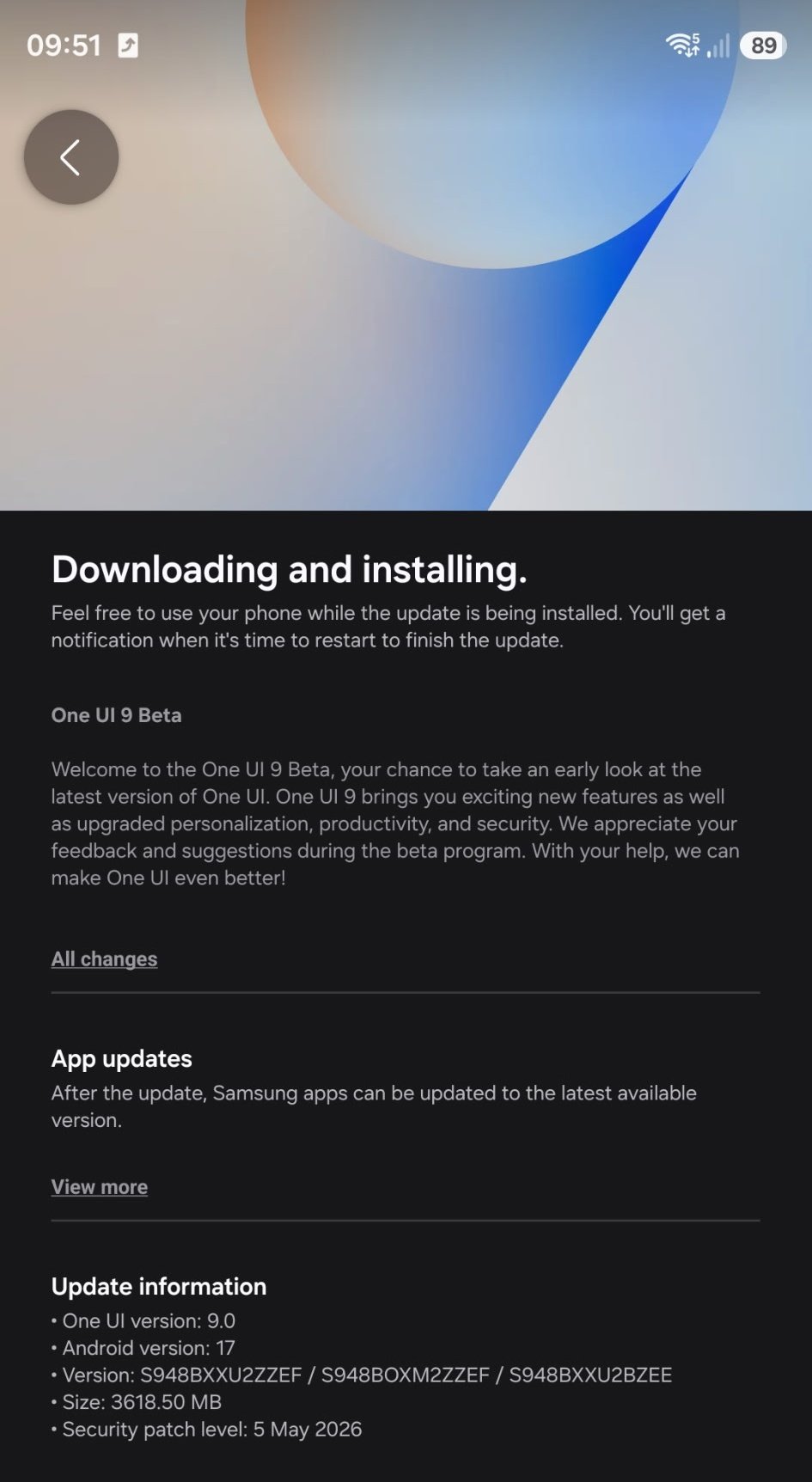
The One UI 9 beta program is now live for the Galaxy S26 series in three initial regions: South Korea, Germany, and the UK. Samsung announced the beta yesterday, and it has started rolling out to users who registered for the program. This early release gives enthusiasts a chance to test Android 17’s integration with Samsung’s software before the stable version arrives later this year. If you own a Galaxy S26 in one of these countries, you can sign up through the Samsung Members app to receive the update over the air. The beta is expected to expand to more markets in the coming weeks, but for now, it’s limited to these key territories. Keep in mind that beta software may contain bugs, so it’s best to back up your data before installing.
2. Customizable Quick Panel
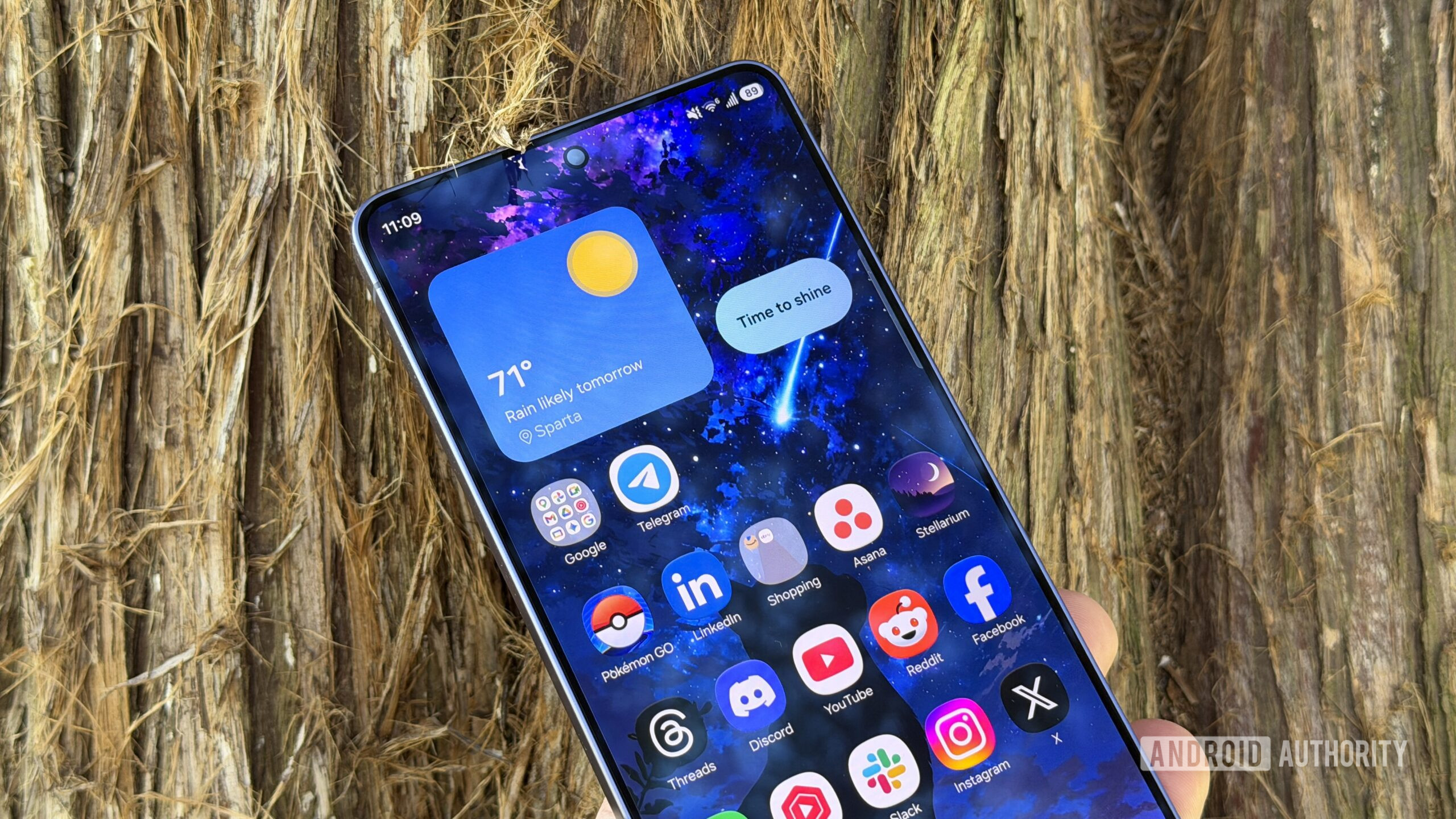
One of the most noticeable changes in One UI 9 is the revamped Quick Panel. Samsung has introduced a more customizable interface that lets you rearrange toggles, adjust the layout, and even add new controls for frequently used settings. The Quick Panel now supports multiple pages and can be expanded to show more options without leaving the screen you’re on. You can also change the color scheme and transparency to match your wallpaper or personal preference. This level of personalization makes it easier to access Wi-Fi, Bluetooth, flashlight, and other settings with fewer taps. For power users, the ability to pin specific controls to the top of the panel will save time and reduce clutter. It’s a small but meaningful improvement that puts you in charge of your phone’s shortcuts.
3. Samsung DeX Multitasking Enhancements
Samsung DeX, the desktop-like mode for Galaxy phones, gets a significant boost in One UI 9. The update introduces improved multitasking capabilities, allowing you to run multiple app windows more efficiently. You can now snap windows into customizable grid layouts, resize them freely, and even use floating apps that stay on top of other content. DeX also gains better support for external displays, with smoother transitions when connecting to monitors or TVs. The taskbar has been updated to show recent apps and suggested tools, making it quicker to switch between work and play. These enhancements are designed for users who rely on their phone as a primary productivity device, especially when paired with a keyboard and mouse. Whether you’re editing documents or managing projects, DeX feels more polished and intuitive.
4. New Tape Feature in Samsung Notes
Samsung Notes introduces a creative new feature called “Tape” in One UI 9. This tool lets you record audio directly within a note and attach it as a visual tape-like object. You can place multiple recordings anywhere on the page, reorder them, and even transcribe the audio into text for easy reference. Tape is particularly useful for meetings, lectures, or brainstorming sessions where you want to capture ideas quickly without typing. The recordings are saved locally and can be played back directly from the note. Additionally, you can share individual tapes or export them as separate audio files. This feature blends the convenience of voice notes with the organizational power of Samsung Notes, making it a standout addition for anyone who frequently takes audio notes.
5. Unified TalkBack Accessibility Updates
Accessibility gets a major upgrade in One UI 9 with a unified TalkBack system. Previously, TalkBack updates were tied to the Android version and required system updates to improve. Now, Samsung has decoupled TalkBack from the core OS, allowing it to receive updates directly through the Google Play Store. This means bug fixes, new gestures, and voice improvements can be delivered more frequently without waiting for a full One UI update. The new TalkBack also integrates better with third-party apps, offering more consistent feedback. For users with visual impairments, this change ensures they get the latest accessibility features sooner. Samsung has also added more granular controls for speech rate and verbosity, giving users finer adjustment over their screen reader experience.
6. Blue Indicator for Location Access
Privacy is a growing concern, and One UI 9 addresses it with a new blue location indicator. Whenever an app accesses your device’s location in the background, a small blue icon appears in the status bar. This visual cue lets you know exactly when your location is being used, even if you’re not actively using the app. Tapping the icon shows which app requested the location and allows you to revoke permissions instantly. This feature adds a layer of transparency that was previously missing, helping you spot potential privacy risks. Combined with existing privacy tools like the camera and microphone indicators, the blue location indicator completes Samsung’s suite of real-time privacy alerts. It’s a simple but effective way to keep you informed and in control of your data.
The One UI 9 beta for Galaxy S26 is just the beginning, but it already shows Samsung’s commitment to refining the user experience. From a more personal Quick Panel to smarter DeX and enhanced privacy, this update balances innovation with everyday usability. If you’re in one of the eligible regions, consider joining the beta to get a head start on these features. As Samsung expands the program and prepares the stable release, expect even more tweaks and optimizations. For now, the future of One UI looks bright — and your Galaxy S26 is at the center of it.
Related Articles
- Stack Overflow for Teams: Unlock Your Team's Collective Knowledge
- 10 Essential Insights for Modern AI-Assisted Software Development
- Design Gap Exposed: Why Most Products Work But Few Work Well, Experts Say
- Rust 1.95.0: What's New in the Latest Stable Release
- Mastering Your MacBook Neo Order: A Step-by-Step Guide to Navigating May's Delivery Windows
- Google Abruptly Shuts Down Project Mariner AI Agent, Migrates Tech to Gemini and Other Tools
- 10 Key Updates in Battlefield 6 Season 3 Patch Notes You Must Know
- The Enduring Wisdom of The Mythical Man-Month: Lessons from Fred Brooks