10 Essential Tips for Keeping Your Passwords Safe – Right on Your Phone
In an era where digital security is more critical than ever, the way you manage your passwords can make or break your online safety. Many people rely on cloud-based password managers, but there's a growing trend toward keeping your credentials stored locally on your phone. This approach offers unique advantages in privacy and control. In this article, we'll explore ten key things you need to know about using a free app that keeps your passwords exclusively on your device. From security benefits to practical tips, you'll discover why this method might be your best defense against cyber threats. Let's dive in.
1. Your Password Manager Is the Master Key to Your Digital Life
Imagine having a single key that unlocks every door in your digital world – that's exactly what a password manager is. It stores usernames, passwords, and even sensitive notes for all your accounts, from banking to social media. When you keep this manager directly on your phone, you ensure that no third-party server holds your data. This means even if the cloud-based service gets hacked, your passwords remain safe inside your device. The convenience of auto-filling logins on your phone is matched only by the peace of mind that your information never leaves your possession.
2. Zero‑Knowledge Architecture: Only You Know Your Secrets
A robust local password manager uses zero-knowledge encryption, meaning the app itself cannot read your passwords. Your master password is the only key, and it's never sent to a server. This contrasts with many cloud services that hold your data encrypted but can technically access it if required. By keeping everything offline, you eliminate a whole class of vulnerabilities. You're not trusting a company's security promises – you're relying on mathematics and your own discipline. It's a fundamental shift from convenience-based security to pure, verifiable protection.
3. No Network, No Problem – Offline Access Always Works
One of the biggest frustrations with online password vaults is that they require an internet connection. When you're on a plane, in a remote area, or experiencing a network outage, you might be locked out of your own accounts. A phone‑based manager solves this by storing all data locally. You can access your passwords anytime, anywhere, without worrying about signal strength. This makes it ideal for travelers or anyone who values uninterrupted access. Plus, you avoid the latency of syncing with a remote server – the data is right there on your device.
4. Automatic Backup to Your Phone’s Local Storage
Most local password apps offer the ability to backup your vault to your phone's internal storage or an encrypted file. This gives you full control over redundancy. You can manually copy the backup to a secure USB drive or email it to yourself (if encrypted). Unlike cloud backups that rely on a third-party's uptime, your local backup remains accessible as long as you have the file. Some apps even schedule automatic backups, so you never lose a new password. Just be sure to protect the backup file with a strong password of its own.
5. Sync Decisions Are Yours – No Forced Cloud Integration
With a local password manager, you decide if and how to sync between devices. Many people use their phone as the primary vault and choose to never sync at all. For those who want multi‑device access, you can use a peer‑to‑peer sync (like via Wi‑Fi Direct) or your own cloud storage (e.g., a private Nextcloud instance). This puts you in the driver's seat. You're not forced into a company's ecosystem or subscription plan. You control the flow of your data, which is a powerful aspect of digital sovereignty.
6. Biometric Locks Add an Extra Layer of Convenience
Most modern password managers leverage your phone's fingerprint sensor or face recognition. This means you can unlock your vault in a split second without typing a long master password each time. However, because the vault is local, those biometrics are processed entirely on the device – not sent to any server. This provides both speed and security. You get the best of both worlds: effortless authentication with hardware‑level encryption. Just remember to set a strong master password as a backup in case biometrics fail.

7. No Subscription Fees – Free and Open‑Source Options Abound
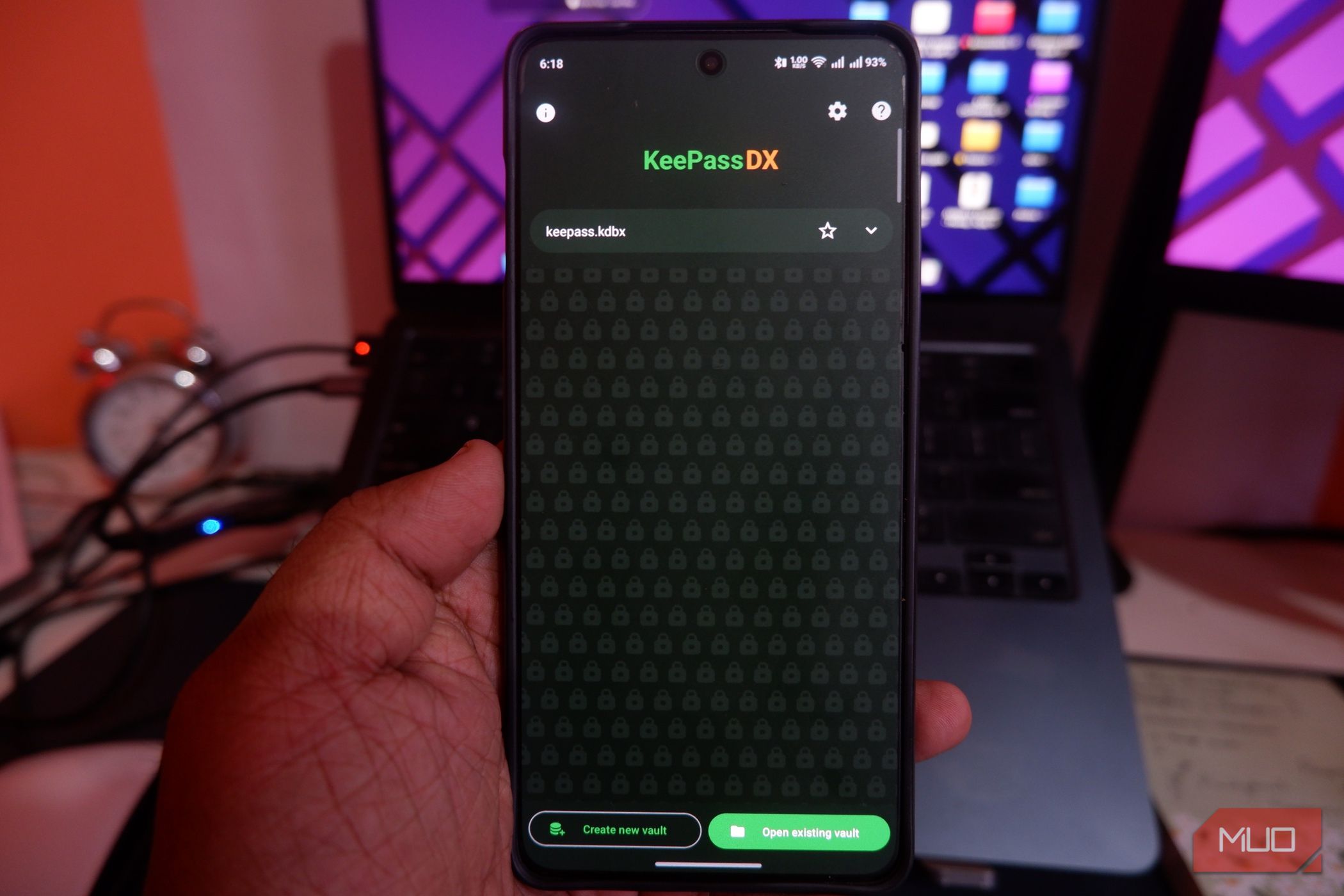
The original text highlights a free app – and that's a major advantage. Many local password managers are open‑source and completely free of charge. No monthly fees, no premium tiers for basic features. Apps like KeePassDX or Bitwarden (with local vault option) cost nothing but deliver enterprise‑grade security. Because there's no cloud infrastructure to maintain, developers can offer the app for free, relying on donations or optional paid add‑ons. This makes it accessible to everyone, regardless of budget.
8. Strong Password Generation Built Right In
A hallmark of any good password manager is the ability to generate complex, unique passwords for each site. Local managers are no exception. They can create random strings of letters, numbers, and symbols that are nearly impossible to guess. Because the generator runs on your phone, the output never leaves your device until you paste it into a login form. This prevents potential interception by network snoops or keyloggers. Always use the generator – it's the easiest way to avoid password reuse, which is the leading cause of account compromises.
9. Regular Audits Keep Your Vault Healthy
Security is not a one‑time setup. Local password managers often include audit features that analyze your vault's health. They can flag weak, reused, or old passwords that need updating. Some even check for data breaches by comparing your passwords (anonymized) against known leak databases. With a local app, these checks happen on your phone without sending your actual passwords to a remote server. You get professional‑grade vulnerability scanning while maintaining full privacy. Schedule an audit every few months to stay ahead of threats.
10. The Importance of a Strong Master Password
All the benefits of a local password manager hinge on one thing: your master password. This is the single password that unlocks your entire vault. Make it long, random, and unique – something you'll never use elsewhere. Consider a passphrase of four to six unrelated words (e.g., “Correct-Horse-Battery-Staple”). Write it down and store it in a physical safe if needed. Without a strong master password, local storage's advantages are moot. Spend time crafting a master key that would take centuries to crack. It's your digital life's frontline defense.
Keeping your passwords locally on your phone gives you unmatched control and security. By following these ten principles, you can harness the power of a free password manager without compromising your privacy. Remember to update your app regularly, backup your vault, and never share your master password. In a world where data breaches are commonplace, taking ownership of your credentials is a smart, empowering move.
Related Articles
- Revolutionizing Facebook Groups Search: How Hybrid Retrieval Unlocks Community Wisdom
- Cyber Campaign Targets Enterprise Admins via Fake GitHub Repositories
- OpenSearch 3.6 Revolutionizes AI Data Layer with 32x Memory Compression, Hybrid Search Breakthroughs
- Fostering Amiable Online Communities: Lessons from the Vienna Circle
- Gboard Privacy Concerns Fuel Open-Source Keyboard Switch—Expert Warns of Data Harvesting
- 10 Key Insights from Julia Huang's Three-Decade Success in Multicultural Marketing
- Logitech MX Keys Mini on Sale: Your Questions Answered
- Unlocking Amazon Prime's Hidden Gem: The Ultimate Guide to Amazon Photos