Why 3D Printing Noctua Fan Files Isn't a Good Idea: A Detailed Analysis
Introduction: Noctua's CAD File Release and the 3D Printing Question
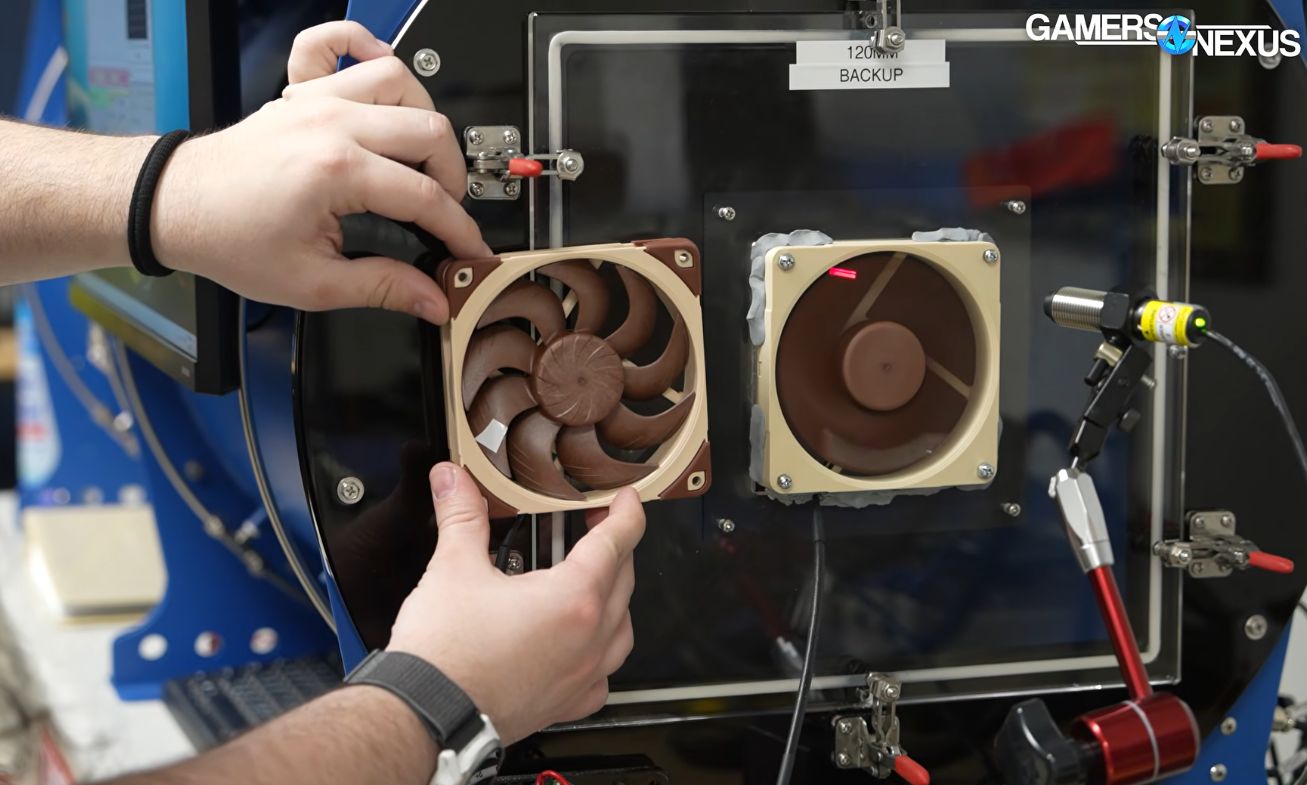
When Noctua recently published CAD files for several of their popular computer fans, the immediate reaction from the maker community was understandable: can we just 3D print these fans ourselves? Despite Noctua explicitly advising against it—and even tweaking the original design to prevent direct replication—curiosity persists. Fortunately, Gamers Nexus, led by [Steve], took on the challenge to investigate whether 3D printing a Noctua fan is a practical alternative. The verdict? Mostly a resounding no.
Technical Hurdles: From CAD to Physical Print
Reworking the Model for FDM Printing
Steve started by modifying Noctua's original CAD files to make them compatible with a Bambu Lab FDM printer. Even with these adjustments, the most critical component—the motor—had to be salvaged from an authentic Noctua fan. While cheaper motors are available, they would alter the fan's performance characteristics significantly.
Material Limitations: Why PLA Falls Short
Noctua fans are made from a specialized polymer engineered to maintain its shape under high rotational speeds. In contrast, PLA and most other thermoplastics tend to deform, causing the blades to scrape against the fan housing. To compensate, the 3D printed version required a 3 mm gap between the blades and housing, compared to the original's 0.5 mm clearance. This compromise drastically reduces efficiency.
Performance Comparison: Noise vs. Airflow
Using a professional fan tester inside a semi-anechoic chamber, Gamers Nexus compared the original Noctua fan to its 3D printed counterpart. The results were telling:
- Noise profile: The printed fan produced a similar sound signature, but not identical.
- Airflow: The replica generated only half the airflow of the genuine Noctua fan.
Factors contributing to this drop include the altered blade geometry, the enlarged gap, and countless other design intricacies that justify the original's premium price tag of around $40.
What You Should Use the CAD Files For
While functional 3D printed fans are not viable, the CAD models serve a more practical purpose: fit testing. You can integrate them into larger designs to ensure proper physical spacing and mounting before committing to an expensive real fan. Other applications include:
- Creating custom shrouds or ducts.
- Validating clearances in compact cases.
- Designing fan mounts or accessories.
In short, use the files for design validation—not for replacing a real Noctua fan.
Conclusion: Leave the Manufacturing to Noctua
The experiment confirms that 3D printing a high-performance PC fan is currently impractical due to material and geometry limitations. For now, you're best off buying the real thing if you need quiet, efficient cooling. But if you're a modder or engineer, the CAD files are a fantastic tool for prototyping. Thanks to [Steve] for shedding light on this!
Related Articles
- Xbox Goes All Caps: Nostalgia or Strategic Rebrand?
- MindsEye Developer Build A Rocket Boy Sheds Over Two-Thirds of Staff Following Disappointing Launch
- How to Score the Nintendo Switch 2 ‘Choose Your Game’ Bundle: A Complete Buying and Setup Guide
- Why the 007 First Light PS5 Controller Breaks from the Classic Barrel Design
- EVE Online Developer CCP Games Splits from Pearl Abyss, Rebrands as Fenris Creations in $120M AI Partnership with Google DeepMind
- The End of an Era: Ask.com Shuts Down After Decades of Answering Questions
- 10 Surprising Facts About Running Ubuntu on Your PlayStation 5
- ESP32-Powered Altoids Tin PC Breaks Records: Plays DOOM on Tiny Keyboard